Description
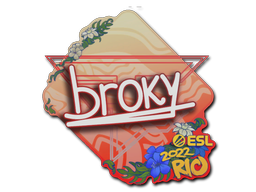
The Sticker | Team Dignitas (Holo) | Cologne 2014 can be applied to any of your weapons, featuring a striking holographic design that showcases the Team Dignitas logo from the Cologne 2014 event. This sticker can be scraped to give it a more battle-worn appearance. You can scrape the same sticker multiple times, with each scrape making it look increasingly distressed until it eventually vanishes from the weapon entirely.
1. How to Buy a Skin
- Select a Skin:
Browse the catalog and click on the skin you want to purchase.
- Add to Cart:
Click “Add to Cart” and proceed to checkout once ready.
- Sign In or Create an Account:
Log in or register to streamline the checkout process.
- Review and Pay:
Verify order details, apply any coupons, and complete payment.
- Delivery:
After payment, follow the instructions sent to your email or see your account dashboard.
2. How to Sell a Skin
- Register or Log In:
Make sure you have an active account. If not, sign up—it’s free.
- Go to “Sell” Section:
Navigate to our “Sell Skins” page (often in the top menu or user dashboard).
- List Your Skin:
Provide details about the skin (name, condition, screenshots, etc.).
- Set Your Price:
Choose a fair, competitive price. Check market recommendations if needed.
- Confirm Listing:
Our system reviews and publishes your listing once it meets guidelines.
- Receive Payment:
When a buyer completes the purchase, finalize the exchange and get paid.
Need More Help?
Contact our support team or use the live chat on our website.